
     |


Home > HRM Overview > Basic Heart Rate Monitor Features
Basic Heart Rate Monitor FeaturesThe following list gives the most common features generally expected to be found on a basic heart rate monitor.
Continuous Heart Rate MonitoringWith this feature you can see what your current heart rate is on your wrist watch and how it fluctuates while you are exercising. The word continuous is the key. Wireless heart rate monitors that come with a chest strap transmitter are able to give continuous monitoring, whereas strapless heart rate monitors usually cannot do so. With continuous monitoring, you don't have to stop doing your current activity in order to look up your heart rate.
Heart Rate Training Zone with AlarmsWith this, you can manually set your heart rate training zone (lower and upper heart rate limits) in which you will be doing your exercise. It usually comes with an audio or visual alarm that alerts you when you go above or below your heart rate training zone. In addition some models are able to calculate your heart rate zone limits automatically using your age (and sometimes sex) as input. This feature can usually be switched off i.e. you can train without having set a heart rate training zone beforehand.
Duration of Exercise SessionYou use your heart rate monitor's stop watch to start and stop the training session. Once you have stopped, the watch tells you how long you have been exercising.
Average Heart Rate of Exercise SessionThis information is available once you have finished your session. It tells you how hard on average you have been training. It is a measure of the average intensity of your training session and is a very important piece of information. And if you have preset a heart rate training zone, you can check if you have been training within your intended heart rate limits.
Maximum Heart Rate of Exercise SessionThis is again only available once you have finished your session. It gives you an indication of what your maximum training effort was during your exercise session. This information is normally not as useful as the average heart rate of exercise session.
Basic Time KeepingOne would expect to be able to find basic time keeping features on all heart rate monitors. However, this is not the case. Some basic heart rate monitors, for example, won't let you set the date and a wake up alarm. So don't automatically assume that you can do them.
BacklightThis can be important if you, for example, expect to do some road running at night in dimly-lit streets.
Here are some of the best basic heart rate monitors:
Features: Basic | Intermediate | Advanced
Not sure which heart rate monitor is right for you? Take a look at the Which Heart Rate Monitor page.
|


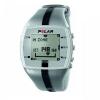
Polar FT4
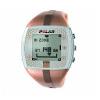
Polar FT4 For Women
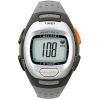
Timex T5G971 Personal Trainer
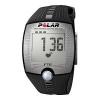
Polar FT2
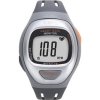
Timex T5G941 Easy Trainer
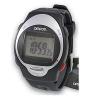
Omron HR-100C