
     |


Home > Polar > RS200SD
Polar RS200SD Heart Rate Monitor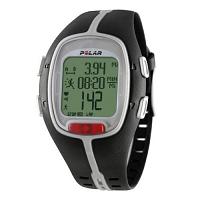
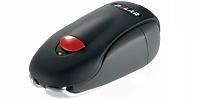
The Polar RS200SD heart rate monitor is an intermediate heart rate monitor for runners. It is actually just the Polar RS200 heart rate monitor plus the Polar S1 Foot Pod. You attach the Foot Pod to one of your running shoes. The Foot Pod then measures speed and distance while you are running and sends the information to the wrist watch. Important Note: The Polar RS200SD has now been superceded by the Polar RS300X SD. The RS300X SD has almost all the features of the RS200SD, plus the ability to use the G1 GPS Sensor. The RS300X SD also uses a different device (Polar FlowLink) to transfer data to the computer. To save space, the common features that the Polar RS200 and the Polar RS200SD share will not be repeated on this page. Those common features can be found on the RS200 page.
Here are the additional functionalities of the Polar RS200SD heart rate monitor:
The simple additional of a Polar S1 Foot Pod introduces really quite a lot of additional functionalities to the feature set of the Polar RS200. Remember that: Polar RS200SD = Polar RS200 + Pod S1 Foot Pod Distance runners are often interested to know what their pace is (was) at various stages of their race. The Polar RS200SD heart rate monitor gives them just that information. And if the AutoLap feature is switched on, this is done automatically. The Polar RS200SD heart rate monitor is specifically designed for the needs of runners. If you are interested in having the RS200 and want the additional speed and distance measurements brought about by the S1 Foot Pod, then you should consider the Polar RS200SD heart rate monitor system. The RS200SD retails for around $239.95. Useful InformationReviews: This page has a concise summary of Polar heart rate monitor reviews.Further information: Visit Polar's official web site. Important Note: The Polar RS200SD has now been superceded by the Polar RS300X SD. The RS300X SD has almost all the features of the RS200SD, plus the ability to use the G1 GPS Sensor. The RS300X SD also uses a different device (Polar FlowLink) to transfer data to the computer. The next one up in Polar's RS series is the Polar RS400 and RS400SD heart rate monitors.
Not sure which heart rate monitor is right for you? Take a look at the Which Heart Rate Monitor page.
|

Garmin Forerunner 305 GPS
Polar RS300X SD (With Foot Pod)
Garmin FR60 (With Foot Pod)
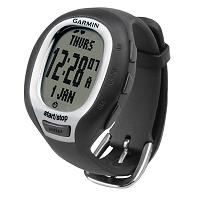
Garmin FR60 (With Foot Pod) For Women
Suunto T4d
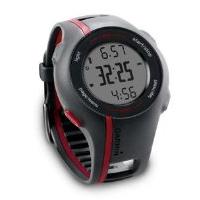
Garmin Forerunner 110 GPS