
     |


Home > HRM Overview > Intermediate HRM Features
Intermediate Heart Rate Monitor FeaturesHere is a list of some additional features commonly found on an intermediate heart rate monitor (on top of basic features):
Setting Heart Rate Training Limits as BPM or % of Max HRWith this feature, you can choose to set your heart rate training limits in terms of beats per minute (BPM) or percentages of your maximum heart rate (% of Max HR). This can be really convenient. If, for example, you want to train between 65% and 75% of your Max HR (which is 185), you may need a calculator or a piece of paper and a pen to work out what 65% and 75% of 185 are, if you can only input BPM. However, if you can also input % of Max HR, such calculation becomes unnecessary. You can input the percentages directly. It can be a time saver.Displaying Heart Rate as BPM or % of Max HRSimilar to the above, with this feature you can display your heart beat as BPM or % of Max HR, depending on your choice and preference.
Advanced Automatic Setting of Heart Rate Training ZoneSome basic heart rate monitors can set your heart rate training zone automatically using your age as input. However, some intermediate heart rate monitors take this one step further. These monitors will ask you, at the beginning of your session, to do a series of warm up exercises. Once you have done that, the heart rate monitor automatically determines your optimum heart rate training zone for that particular session. One example is the Polar OwnZone. This is a really neat feature. It determines your optimal heart rate training limits taking into account how well you are on the day of your exercise.Calories BurntThis information is usually available only after you finished your workout. You can review how many calories you have burnt during your training session. However, some intermediate heart rate monitors tell you in real time (i.e. you don't have to wait till you have finished) the calories you have burnt so far while you are still exercising.% of Fat BurntThis is a useful feature, particular so for those trying to lose weight. It tells you how much of the calories you have used up is due to fat being burnt. If this percentage is relatively low, you probably are not training at the appropriate intensity and duration for weight loss (if that is your session objective).Stop Watch with Lap RecordingThis is a useful features for interval training and for running. You can record a lap when you run past a known distance point. Examples: A complete lap (400 meters) in a running track or a mileage marker during a road race. You will be able to review lap time and split time later on. Furthermore many heart rate monitors will also tell you what your average heart rate was during each lap, a very useful piece of information.TimersTimers are useful for interval training, especially when the heart rate monitor has two (or more) consecutive timers. You can use the first timer to set the workout duration, and the second timer to set the recovery duration. These timers will then fire successively, one after the other, for as many cycles as your training require.Time in Target ZoneThis is another summary statistic to remind you what you have done during the session. It tells you how much time you have spent in your intended heart rate training zone during your last session. Some monitors allow you to set multiple consecutive heart rate training zones and let you review how long you have spent in each zone after the session.Memory: Saving Training Data from Individual SessionsMost basic heart rate monitors usually can save only 1 session's data. The better ones can often save many more sessions. This feature allows you to review what you did a few sessions back: duration, average heart rate, maximum heart rate, calories and fat burnt, time spent in target zone, your heart training zone limits etc.Memory: Saving Cumulative Data from All SessionsThe feature sums up the totals for each statistic from all the saved sessions. You can see, for a given period, say, a week, how many times you have exercised, how long in total you have spent training, how many calories in total you have used up etc. It gives you an overall summary of your training.
Here are some of the top intermediate fitness heart rate monitors:
Here is a separate list of recommended intermediate running heart rate monitors.
Features: Basic | Intermediate | Advanced
Not sure which heart rate monitor is right for you? Take a look at the Which Heart Rate Monitor page.
|

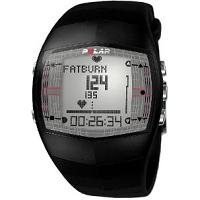
Polar FT40
Polar FT40 For Women
Timex Ironman Race Trainer

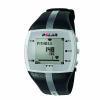
Polar FT7
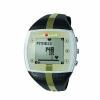
Polar FT7 For Women
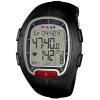
Polar RS100
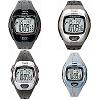
Timex Ironman Zone Trainer
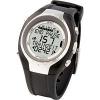
Sigma Sport PC 15
Recommended Intermediate Running HRMs:
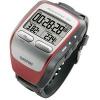
Garmin Forerunner 305 GPS
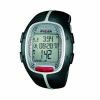
Polar RS300X SD (With Foot Pod)
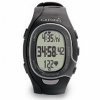
Garmin FR60 (With Foot Pod)
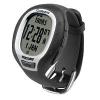
Garmin FR60 (With Foot Pod) For Women
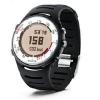
Suunto T4d
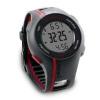
Garmin Forerunner 110 GPS